Palm Vein Payment:
How It Works
A step by step guide to registering, linking your palm to a digital wallet, and paying securely using بايو وايف باس palm vein devices.
Contactless Palm Authentication
Simply hover your palm over the scanner for instant recognition
Linked to Digital Wallet
Connected to your existing digital wallet or bank/fintech app
No Need Card, Phone, Password, Signature
Leave everything at home - your palm is all you need
Fast, Secure, Biometric Payment
Lightning-fast transactions with military-grade security
What Is Palm Vein Payment?
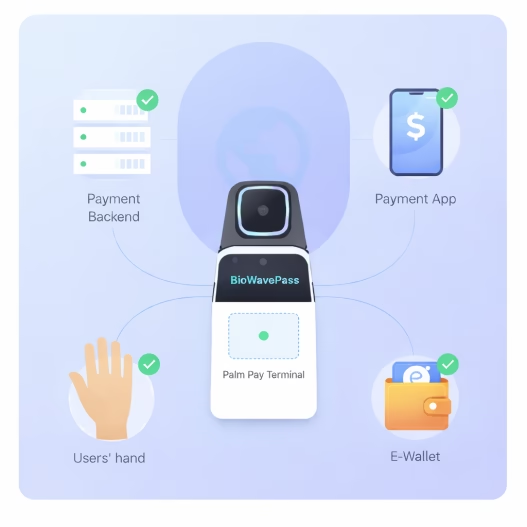
Palm vein payment allows users to make payments using their palm as a secure biometric credential. The unique palm vein pattern is tokenized and linked to a digital wallet.
Once registered, users simply wave their palm above a BioWavePass palm vein scanner terminal to complete a payment, with no cards, phones, or passwords required.
The solution is designed to integrate seamlessly with your own payment backend, mobile payment apps, and e-wallet systems, where the palm vein is used as a secure authentication token, enabling full compatibility with existing financial infrastructures while delivering a contactless, secure, and frictionless user experience.
الدفع بعرق النخيل Registration Process
Users complete a one time enrollment process to link their palm to a payment account.
Activate a Digital Wallet
Complete identity verification (KYC), add a bank card or funding source, and enable security settings.
Visit a Palm Vein Enrollment Location
Enrollment is completed at physical locations equipped with BioWavePass palm vein devices.
Enrollment Center
BioWavePass Equipped
Start Enrollment on the Device
Users open the corresponding e-wallet app and scan a QR code displayed on the palm vein device screen, confirm enrollment in the payment app, and link the device session.
QR Code
Scan to access
Scan & Link
Open on mobile
Scan and Register the Palm
The device captures palm print (RGB) and palm vein (IR) biometrics, creating encrypted templates.
Capturing Biometrics...
Confirm and Complete Enrollment
User confirms, and enrollment usually completes in under one minute.
Enrollment Complete!
Ready for palm payments
How Palm Vein Payment Works at Checkout
A seamless biometric payment experience that removes cards, phones, and PINs from the checkout process.
Wave Your Palm
Customers simply hover their hand above the scanner. No cards, phones, or PIN codes required.
Biometric Verification
The scanner captures palm vein patterns and performs secure biometric verification with liveness detection.
Payment Authorization
The system securely connects to the linked wallet or bank account to authorize the transaction.
Payment Confirmation
The POS terminal instantly confirms the payment and the transaction is completed.
Why Palm Vein Payment Is Secure
Internal Biometric Identity
Palm veins exist beneath the skin
Dual Mode Recognition
Palm print + palm vein
AES-256 Encrypted
Data stored only on customer-owned servers
No Data Storage
BioWavePass does not store or manage biometric data
الدفع بعرق النخيل Advantages
A secure and seamless biometric payment experience designed for modern checkout environments.
Convenience
Customers simply wave their palm to pay — no smartphone, bank card, or PIN required.
Hygienic & Contactless
Palm vein authentication works without physical contact, providing a safer and more hygienic payment method.
User Control
Users maintain full control and can enable or disable palm payment anytime through their wallet application.
Where Palm Vein Payment Is Used
Palm vein authentication enables fast, secure, and frictionless payments across multiple real-world environments.
Retail & Supermarkets
Fast checkout experiences for grocery stores, convenience stores, and retail chains.
Public Transit
Enable seamless ticketing and fare payments across subway, bus, and railway systems.
Smart Kiosks
Self-service machines for retail, vending, ticketing, and automated payment systems.
Corporate & Campus Systems
Integrated payment solutions for offices, universities, and closed-loop payment ecosystems.
BioWavePass Palm Vein Scanner Product Line
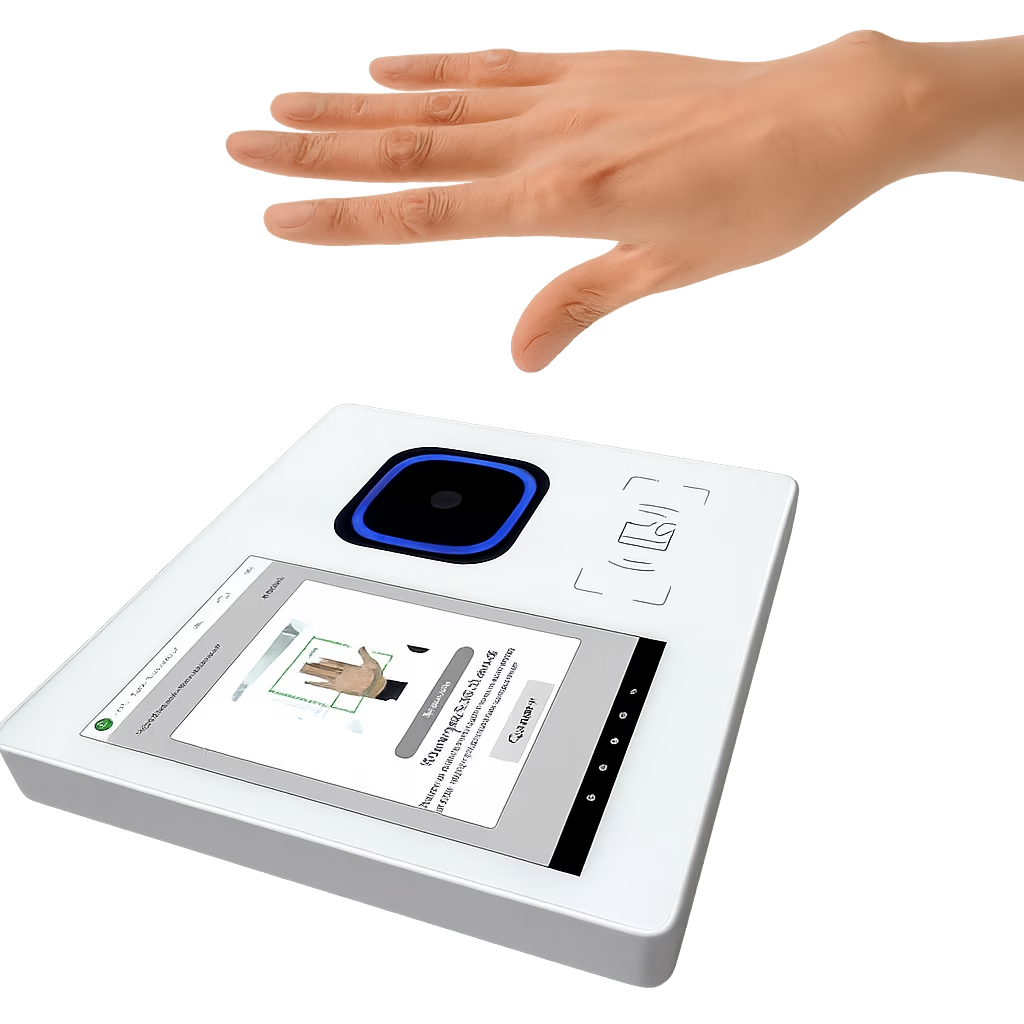
BioWavePass palm vein scanner products cover three different forms: a mobile handheld POS, a fixed Android terminal, and a USB integrated module. All are based on the same palm scanning technology, adapting to different deployment scenarios.
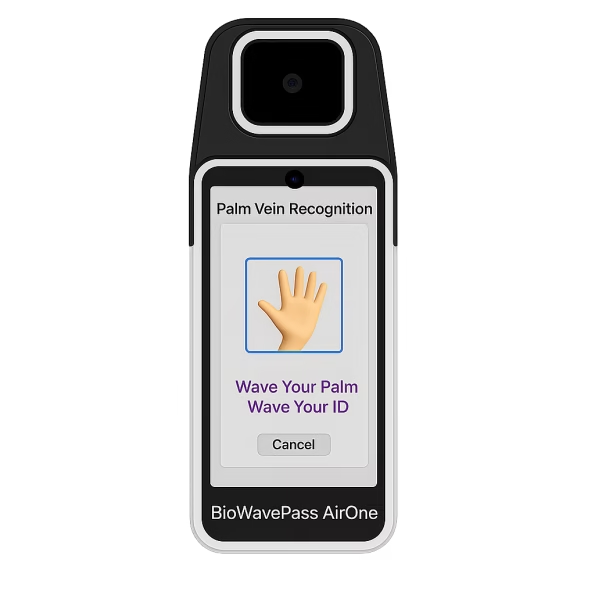
BioWavePass AirOne
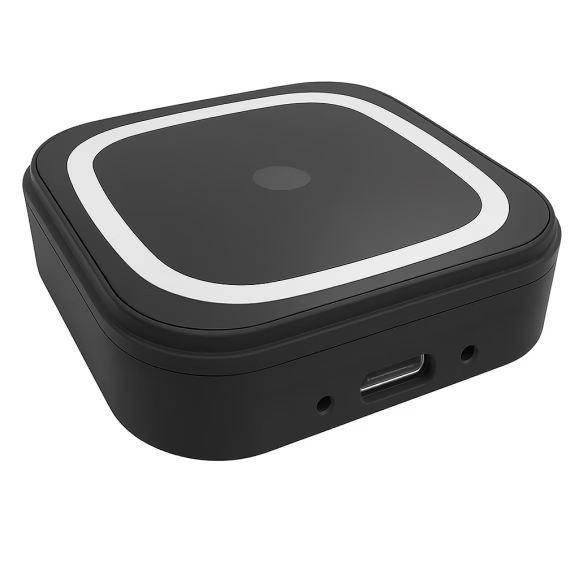
PalmVein01 USB
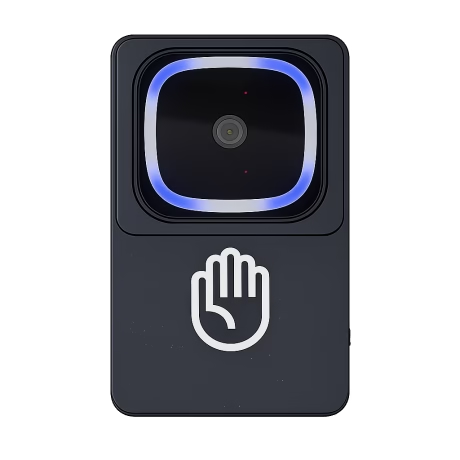
XT-PalmVein 01 Pro
Device Comparison Table
| Palm Vein Scanner Product Line | Functions | Platform | Sandbox Demo | Flutter SDK | End-to-End Palm Pay Solution | Usage Scenario |
|---|---|---|---|---|---|---|
| BioWavePass AirOne | Palm Vein, EMV Chip Reader, NFC, QR Scanner | Android 13 Mobile POS | نعم | نعم | نعم | Mobile |
| بيوويف باس 500 | Palm Vein, QR, IC Card, NFC | أندرويد 11 | نعم | نعم | نعم | Fixed Terminal |
| PalmVein01/Pro USB Palm Vein Reader | USB RGB + IR Biometrics | Android / Windows / Linux | نعم | نعم | نعم | Fixed Device Integration |
Frequently Asked Questions
Answers to common questions about palm vein payment technology and the BioWavePass hardware ecosystem.
Do users need a phone for palm payment?
No. Users simply wave their palm above the scanner to complete the payment. No smartphone, bank card, or password is required.
Is palm vein payment secure?
Yes. The system uses encrypted biometric templates and internal palm vein verification, protected by AES-256 encryption and secure authentication protocols.
What role does BioWavePass play?
BioWavePass provides the biometric hardware devices and SDK integration tools. Customers operate their own payment platforms and manage biometric databases independently.
Ready to build your Palm Vein Payment Solution?
Contact BioWavePass to explore integration options, hardware deployment, and SDK support for your biometric payment platform.