Why Is It Necessary to Save Palm Vein Images?
In any biometric system, the quality of registration determines the accuracy and reliability of future verification.
Au BioWavePass, our Palm Vein Technology is built around precision, scalability, and consistency.
Saving Palm Vein Images (RGB + IR) during registration is not optional — it’s essential for maintaining long-term accuracy and stable FAR/FRR performance.
✋ Why Save Palm Vein Images?
When users register with a Scanner de veine de la main, the system captures two synchronized images per hand:
- RGB Image: Records surface palm print textures
- IR Image: Captures subcutaneous vein structures
Although the extracted feature vectors (RGB + IR) are sufficient for immediate matching,
not saving the original images means the system cannot re-extract or recalibrate features during algorithm upgrades or hardware replacements.
By saving the original RGB + IR images, the system can always return to the original biometric source —
ensuring that the FAR (False Acceptance Rate) et FRR (False Rejection Rate) baselines remain unchanged over time.
⚙️ Ensuring Consistency of FAR and FRR
✅ During Algorithm Upgrades:
Re-extract features from the original image under the same evaluation baseline to maintain consistent accuracy.
✅ Across Devices and Environments:
Original images help recalibrate differences caused by lighting, skin tone, or hardware variation.
✅ During System Expansion:
Even as databases and user numbers grow, the original data ensures identical matching precision.
Saving palm vein images does not reduce FAR/FRR — it ensures these benchmarks remain constant, reproducible, and verifiable.
🧩 Model Comparison Overview
| Model Type | Feature Extraction | Matching Method | Image Usage | Accuracy Behavior |
|---|---|---|---|---|
| Compact Model | Device extracts palm print + vein features (RGB + IR) | Remote comparison | Not Required | Maintains current accuracy baseline |
| Enhanced Model | Device + cloud re-extract from stored RGB + IR images | Combined comparison | Required | Keeps the same FAR/FRR baseline after upgrade |
If only feature vectors are stored without the original images,
future algorithms cannot reprocess data for validation, which may lead to inconsistency or even require user re-registration.
🧠 Implementation Recommendation
The current BioWavePass Palm Vein Scanner demo supports two-hand registration,
but in real-world deployments, customers may choose to register only one hand depending on their application scenario.
Regardless of registering one or two hands, each hand corresponds to two images (RGB + IR).
It is strongly recommended that developers:
✅ Add the image-saving function early in the software development phase
✅ Include user attribute fields such as phone number or unique user ID
✅ Store palm images (RGB + IR) as part of the user’s information record for consistent feature management and traceability
This approach ensures data completeness, supports algorithm evolution, and simplifies future system expansion.
🔒 Data Security and Compliance
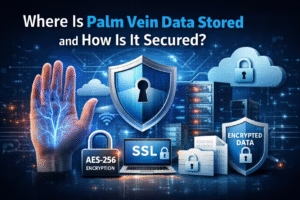
All palm images are securely stored using AES-256-CBC encryption,
with timestamping, access control, and log tracking to ensure compliance with global data protection standards (GDPR, ISO/IEC 27001).
Palm images are not accessed during normal operations — they are only used during algorithm upgrades, calibration, or verification when authorized.
🌍 The Long-Term Value of Image Preservation
Saving palm vein images is not just a technical detail —
it’s the foundation for maintaining consistent biometric accuracy throughout the system’s life cycle.
Whether for fintech, eKYC, healthcare, or identity verification,
BioWavePass Palm Vein Technology ensures reliable, contactless, and future-ready biometric authentication —
with accuracy that remains stable, measurable, and consistent
Learn More:https://x-telcom.com/why-does-palm-vein-recognition-outperform-fingerprint-and-facial-biometrics
Partager cet article
A propos de l'auteur

Vous pourriez aussi aimer
Which Is the Best EMV & PCI Certified Palm Vein POS Terminal?
Will Palm Vein POS Support Existing EMV, NFC, and QR Payment Ecosystem?

Why Palm Vein Technology Is Emerging as a Payment-Grade Biometric Standard
Where Is Palm Vein Biometric Data Stored and How Is It Secured?
How Do You Choose the Best Palm Vein Technology for Real Projects?
How to Solve Power Issues in Palm Vein Scanner Projects?
What Is Palm Scanning Technology?
How Palm Vein Biometrics Can Be Integrated Into Mobile Payment Systems: A BioWavePass Implementation Guide
How to setup Palm Payment? Designing a Seamless Palm Payment Flow for Fintech and Payment Platforms