How to Solve Power Issues in Palm Vein Scanner Projects?
In many palm vein projects, teams focus on algorithms, accuracy, and system integration. But what often causes real failures is not the algorithm, it is power.
If the scanner does not get stable power, even the best biometric system cannot work properly.
IR Palm Vein vs IR + RGB Palm Vein
Traditional IR-only palm vein scanners have low power requirements.
In most cases, about 1A current is enough to run a basic IR palm vein device.
Modern palm vein systems increasingly use IR + RGB dual-mode technology.
They capture internal vein patterns with infrared and external palm features with RGB at the same time.
This brings higher security and accuracy, but also higher power consumption.
To run IR and RGB modules together, the scanner usually needs at least 5V, 1.5A.
The Real Problem in Projects
Many host devices cannot meet this requirement.
Most Android phones, tablets, Windows PCs, and Linux terminals provide less than 1.5A through USB.
When power is not enough, projects face:
- Unstable connections
- Device rebooting or freezing
- Recognition failure
- Poor user experience
These are not algorithm problems.
They are power problems.
Common “Workaround”: Using a USB Hub
Some teams suggest adding a USB hub to increase power input to the palm vein scanner.
In theory, this can work, but in real projects it creates new risks:
USB hubs are fragile and wear out easily.
In many projects, hubs start failing after just a few months of use.The hub itself depends on the power adapter.
The charger must support at least 2A input and output.
If the charger is weak or unstable, the scanner will still fail.More hardware means more failure points.
Extra cables, hubs, and adapters increase maintenance cost and on-site issues.Field environments are not labs.
Dust, heat, vibration, and frequent plug-in and unplug all shorten hub lifetime.
So while a hub may look like a quick fix, it is not a reliable long-term solution.
Why This Is Often Ignored
In lab testing, scanners are powered by strong adapters or development boards, so everything looks fine.
But in real deployment, scanners are connected to:
- Mobile phones
- Tablets
- Industrial terminals
- Embedded systems
These devices were never designed to power high-performance biometric hardware.
That is why many palm vein projects fail not because of technology, but because of power design.
The BioWavePass Solution
At BioWavePass, we treat power as part of biometric system design.
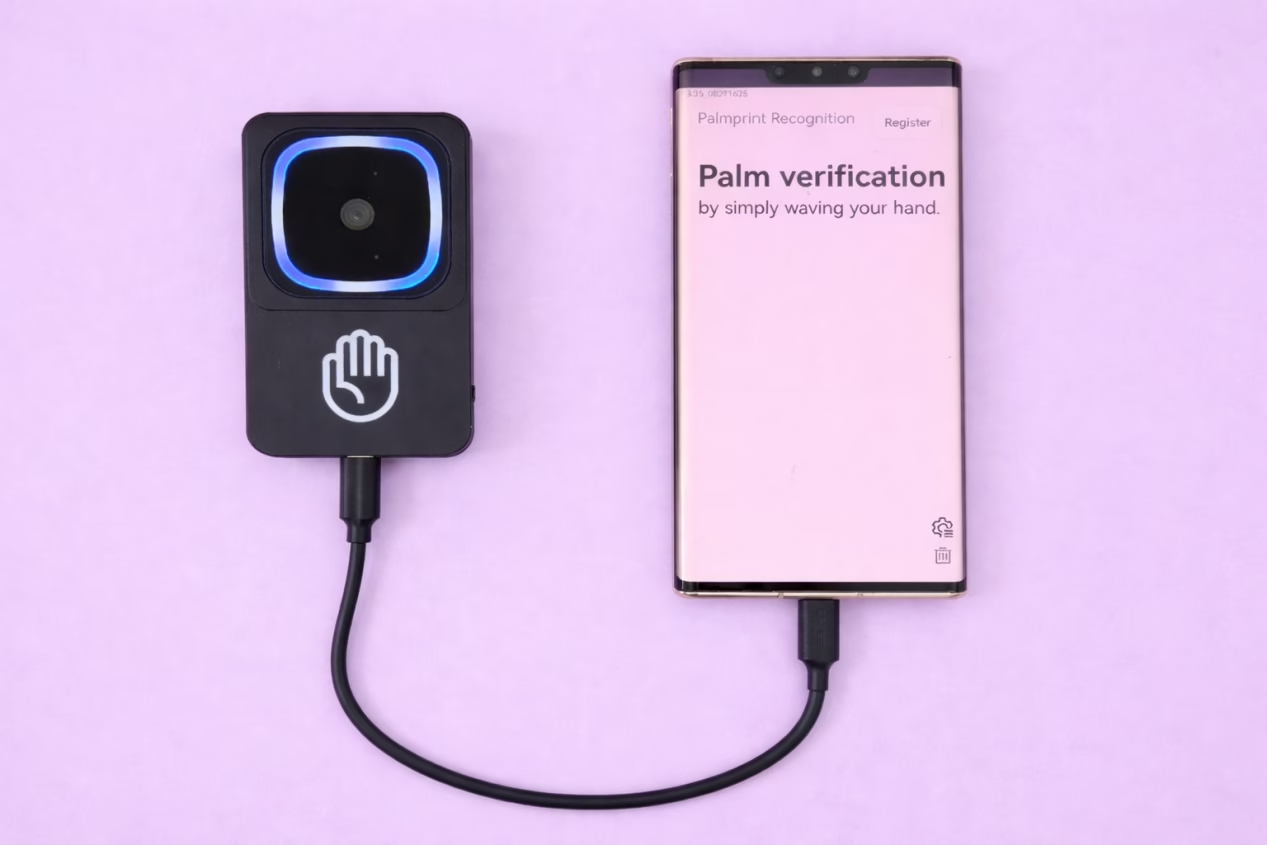
PalmVein01 Pro was created to solve this exact problem. Demo video:
It is a self-powered USB palm vein scanner with a built-in battery.
It does not rely on power from the host device.
Even if your Android, Windows, or Linux device cannot provide enough USB power, PalmVein01 Pro still works stably.
Key Features
- Built-in battery for independent power
- 6–8 hours continuous operation
- No battery drain on host device
- Works with Android, Windows, and Linux
- Separate Type-C port for charging while working
Why Stable Power Matters
Stable power means:
- Stable recognition
- Stable connection
- Stable user experience
- Lower maintenance cost
- Higher project success rate
In real projects, stability matters more than lab performance numbers.
Final Thoughts
Palm vein technology is moving from IR to IR + RGB.
Security and accuracy are getting higher, but power requirements are also increasing.
Trying to fix power issues with USB hubs and extra adapters only adds more risk.
The real solution is to design power into the device itself.
That is why BioWavePass designs not only for algorithms, but also for real-world power conditions.
Learn more from: www.biowavepass.com
Share this article
About the Author

You might also like
Which Is the Best EMV & PCI Certified Palm Vein POS Terminal?
Will Palm Vein POS Support Existing EMV, NFC, and QR Payment Ecosystem?

Why Palm Vein Technology Is Emerging as a Payment-Grade Biometric Standard
Where Is Palm Vein Biometric Data Stored and How Is It Secured?
How Do You Choose the Best Palm Vein Technology for Real Projects?
What Is Palm Scanning Technology?
How Palm Vein Biometrics Can Be Integrated Into Mobile Payment Systems: A BioWavePass Implementation Guide
How to setup Palm Payment? Designing a Seamless Palm Payment Flow for Fintech and Payment Platforms

What Is BioWavePass AirOne Mobile Palm Vein POS?