How to Choose the Right Palm Vein Recognition Device for Your Project?
A Developer’s Perspective on Choosing Palm Vein Hardware
When our team started integrating reconocimiento de las venas de la palma de la mano into our system, we quickly realized that selecting the right biometric device was just as important as choosing the right software architecture.
Palm vein recognition offers strong advantages for identity authentication:
- internal biometric patterns that are difficult to replicate
- contactless verification experience
- high security for financial and identity systems
However, from a technical development perspective, the real challenge is determining which hardware device fits the system architecture and deployment environment.
During our evaluation process, we found that different projects require different types of palm vein hardware.
This is where the BioWavePass device lineup becomes useful, because it supports several deployment models.
Step 1: Determine Whether Your Deployment Is Fixed or Mobile
The first question our team asked was simple:
Will identity verification happen in a fixed location or in the field?
For projects such as:
- kiosks
- hospital check-in desks
- payment counters
- access control gates
a fixed biometric terminal is the most practical option.
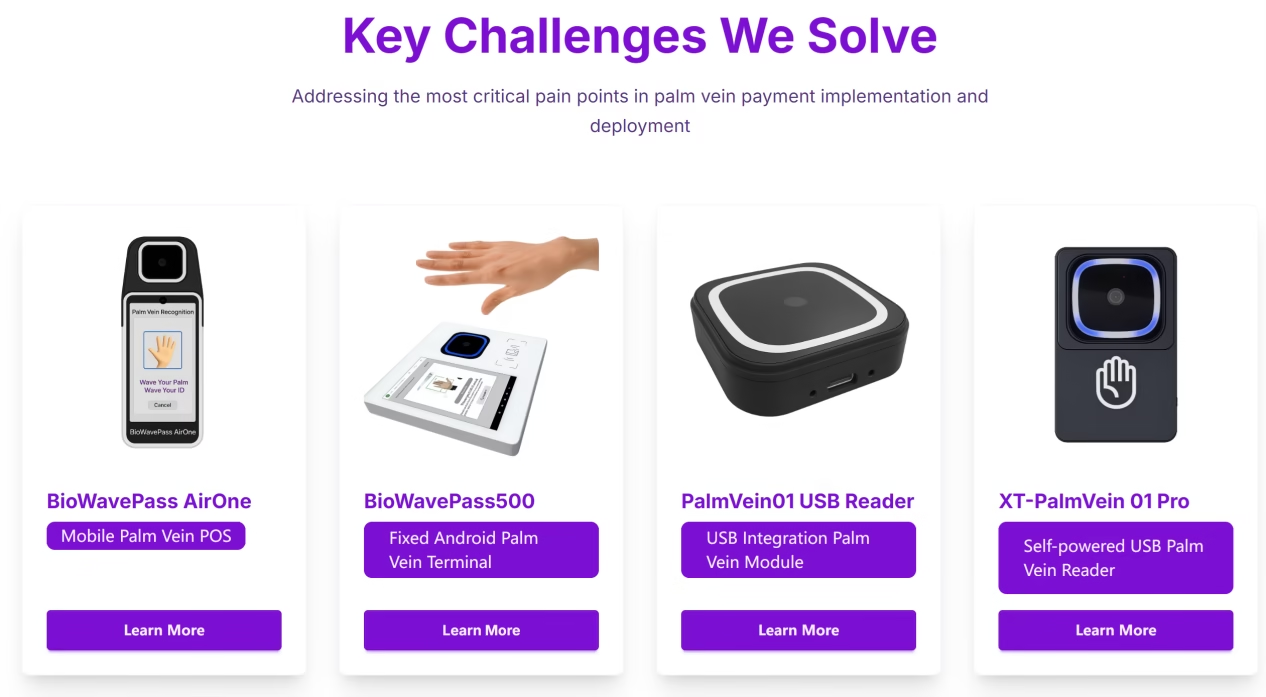
In our testing, the BioWavePass500 worked well for these scenarios because it runs on Android and supports multiple connectivity options such as:
- WiFi
- RJ45 Ethernet
- serial communication interfaces
This allowed us to install our own application and connect the device directly to our backend services.
Step 2: Identify Whether Your System Needs Mobile Identity Verification
Some of our project scenarios required identity verification outside a traditional fixed environment.
Examples included:
- field verification programs
- remote service registration
- mobile financial services
In these cases, we needed a portable device that could operate without relying on wired infrastructure.
En BioWavePass AirOne addressed this requirement by providing:
- 4G connectivity
- WiFi
- Bluetooth
- built-in battery
This combination allowed our system to perform palm vein authentication anywhere while maintaining secure connectivity with our servers.
Step 3: Consider Integration with Existing Hardware Systems
In some parts of our project, we already had existing systems running on:
- Windows workstations
- Linux servers
- Android terminals
Instead of deploying a full terminal, we only needed a biometric scanner module.
For this purpose, the Lector USB PalmVein01 provided a straightforward integration path. It connects directly to host devices through USB and works well when the host system provides stable USB power of 5V / 1.5A or higher.
However, during testing we also encountered situations where the USB power output of the host device was unstable.
In those cases, the PalmVein01 Pro, which includes a self-powered design, ensured reliable biometric scanning.
Step 4: Plan for Device Management at Scale
Another important consideration from a technical team’s perspective is device management.
When biometric devices are deployed across multiple locations, manual updates become difficult to manage.
One advantage we noticed with BioWavePass500 and AirOne is their support for centralized device management. This allows system administrators to:
- remotely update APK applications
- monitor device status
- manage devices across multiple sites
For projects that may grow over time, this type of management capability becomes extremely valuable.
Final Thoughts from Our Technical Evaluation
From our development team’s perspective, selecting the right palm vein recognition device ultimately depends on the deployment architecture.
Our general evaluation framework looked like this:
- Fixed biometric verification points → BioWavePass500
- Mobile identity verification scenarios → BioWavePass AirOne
- Integration into existing hardware systems → PalmVein01 USB Reader or PalmVein01 Pro
By aligning the hardware with the system architecture, we were able to integrate palm vein biometric authentication into our platform more efficiently.
For developers building secure identity systems, choosing the right biometric hardware early in the project can significantly simplify integration and deployment.
Más información
To explore palm vein recognition devices and integration options, visit:
Comparte este artículo
Sobre el autor

También le puede interesar
How Does Tokenization Work in Palm Vein Payment Architecture?
Can Palm Registration and Payment Be Done in One Tap? A Practical View from BioWavePass
As a Developer, How Can We Upgrade from a Small Model to a Large Model Palm Vein Recognition Algorithm Without Re-Registering Users?
How Secure Is Palm Vein Technology Against Spoofing Attacks?
Why Is It Not Recommended to Use a Single Palm Scan for Both Identification and Registration?
What Is the Next-Gen Contactless Payment Method?
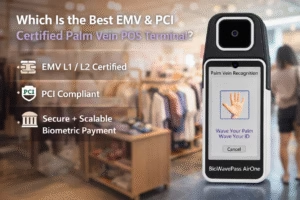
Which Is the Best EMV & PCI Certified Palm Vein POS Terminal?
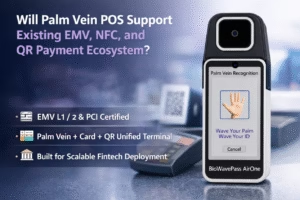
Will Palm Vein POS Support Existing EMV, NFC, and QR Payment Ecosystem?

Why Palm Vein Technology Is Emerging as a Payment-Grade Biometric Standard