“The palm registered. Which account is it linked to?”
Make the account association explicit before registration begins. A successful biometric registration alone does not establish your payment account rules.
Clarify identity ownership ↓Make enrolment, account linking and checkout work together before you roll out.
A practical palm vein payment guide for fintech teams, retailers and solution builders moving from a working Demo to everyday use.
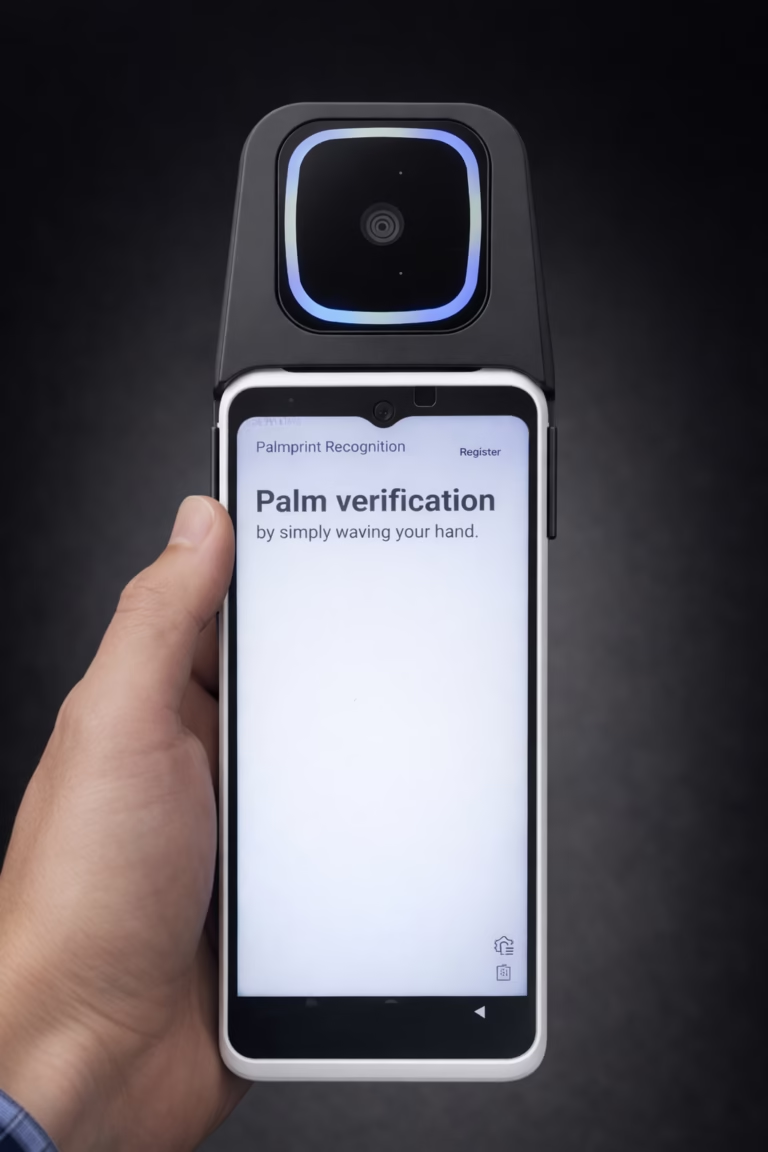
A working recognition Demo answers one question. A retail pilot needs to answer what happens around it.
Make the account association explicit before registration begins. A successful biometric registration alone does not establish your payment account rules.
Clarify identity ownership ↓Separate recognition results from payment decisions. Your backend remains responsible for account status, payment authorisation and the final transaction result.
Plan checkout outcomes ↓Test the whole journey on the intended hardware, network and checkout workflow. Define acceptance criteria before expanding the pilot.
Set pilot acceptance criteria ↓In the Large Model, your platform supplies the user_id. Use a stable business identifier that your backend can reliably associate with the correct customer.
Your platform controls account binding and payment permissions. Palm recognition provides the identity result used by that workflow.
Decide which customer record is being enrolled and how your application validates that association.
Supply your platform’s stable, unique ID. Registered left and right palms can be mapped to that same user ID.
Handle the successful registration response and preserve the required association in your backend. Registration biometric data is returned after success.
These are recommended application decisions for your team to implement. They are not automatic payment features supplied by the recognition SDK.
The recognition service returns a no-match result.
Explain the result clearly, offer guided retry and provide an alternative checkout route. Do not present it as a declined bank transaction.
The identity result succeeds but business rules reject payment.
Use your platform’s transaction response to explain the next step. Keep recognition and payment logs distinguishable for support.
The request cannot complete reliably.
Handle connection failures separately from no-match responses. Define timeouts, recovery and alternative payment in your application.
The SDK cannot complete its expected flow.
If your backend proxies the algorithm service, return the corresponding response in the SDK’s expected format. Check the complete request-and-response path.
Begin with the large-scale Demo and public-cloud test environment before purchasing the large-model algorithm. Then evaluate your own application journey under representative conditions.
Record observations against criteria your team agrees. Avoid judging the project from a single successful scan.
| Test area | Questions to resolve |
|---|---|
| Inscription | Can staff register the intended customer and confirm the correct account association? |
| Checkout | Can your application distinguish recognition, payment approval and final completion? |
| Site conditions | Have you tested the intended terminal, host permissions, connection quality and operating environment? |
| Support | Can your team provide useful error details and identify who owns each issue? |
| Peak demand | Have you measured complete checkout time and confirmed required request capacity? |
Choose your registered-user capacity and peak request rate separately. They affect different parts of production planning.
Within the Large Model, increasing user count alone does not require changing the default device SDK. Review server resources, licence capacity and QPS configuration as the workload grows.
Assign responsibility for infrastructure, monitoring, user deletion, backup and recovery. Define escalation paths before launch.
Your organisation owns and controls the deployed system and data. Establish access, retention and deletion procedures that support your compliance requirements and GDPR alignment.
Large-model private deployment and offline preparation documentation are available. BioWavePass does not require ongoing access to the server environment after deployment.
They are decoupled, not two connected tiers of one database. Small Model featureId identifies a palm; Large Model user_id identifies a user. Evaluate each system independently and do not combine both SDKs in the same app build.
Use this short checklist in your next project review. It is a planning aid, not a certification or a guarantee of production readiness.
0 of 6 planning items confirmed
Selections are temporary and are not submitted or saved.
No. Recognition identifies the registered user. Your payment platform must apply its own account, authorisation and transaction rules before confirming payment.
Your application should distinguish a no-match response from a connection or service error. Define clear retry guidance and an alternative checkout method in your business workflow.
Yes. In the Large Model, your platform supplies a stable, unique user_id during registration. Your backend manages its association with the customer account. The SDK and algorithm service do not create this ID.
No. They are separate, decoupled systems, and the two SDKs should not be used in the same app build. The Small Model’s featureId identifies a palm; the Large Model’s user_id identifies a user.
The current SDK requires a valid server URL for registration and identification. A standalone capture-only flow is not available. Include connectivity and service-failure scenarios in pilot testing.
A Demo and public-cloud test environment are available before purchase. Contact BioWavePass to confirm compatible sample hardware and arrange evaluation access.
If suitable palm images and corresponding business user IDs are available, your team can write a script to call the Large Scale registration API for each user. This creates registrations in a separate system. If suitable images are unavailable, users may need to present their palms again.
The free Small Model supports up to 10,000 IDs without an expiry. This is separate from the Large Model. Purchased algorithm licences are lifetime-valid within their purchased capacity. A three-month 100,000-user Large Model trial is offered to qualifying customers with an initial 100-device order and a signed strategic cooperation agreement.
Share your checkout scenario, platform, preferred terminal and current testing stage. We can help clarify the appropriate next step.