How to Integrate a USB Palm Vein Scanner with a POS Terminal
Palm payment can make checkout faster and more convenient by allowing customers to confirm their identity with a simple, contactless palm gesture.
However, integrating a standalone USB Palm Vein Scanner with an existing POS terminal requires more than connecting a USB cable. Before deployment, businesses and payment solution providers need to verify the POS terminal’s USB power output, data transmission permissions, operating system, and payment architecture.
These checks determine which BioWavePass product is appropriate and whether a standalone scanner or an integrated palm payment device is the better solution.
This guide explains the key technical considerations for integrating BioWavePass palmprint and palm vein recognition technology with POS payment systems.
What Does a Palm Vein Scanner Do?
A BioWavePass Palm Vein Scanner incorporates a camera and scanner that capture both palmprint and palm vein characteristics.
These biometric features are converted into a protected biometric vector and used to confirm the identity of the person presenting the palm.
Palm Vein Biometric Recognition only confirms who the payer is. It does not independently decide whether a payment should be initiated, authorized, approved, declined, or completed successfully.
Its role is similar to tokenization: the biometric recognition process supplies a protected identity reference to the payment workflow, while the POS terminal and payment system remain responsible for the financial transaction.
The responsibilities are clearly separated:
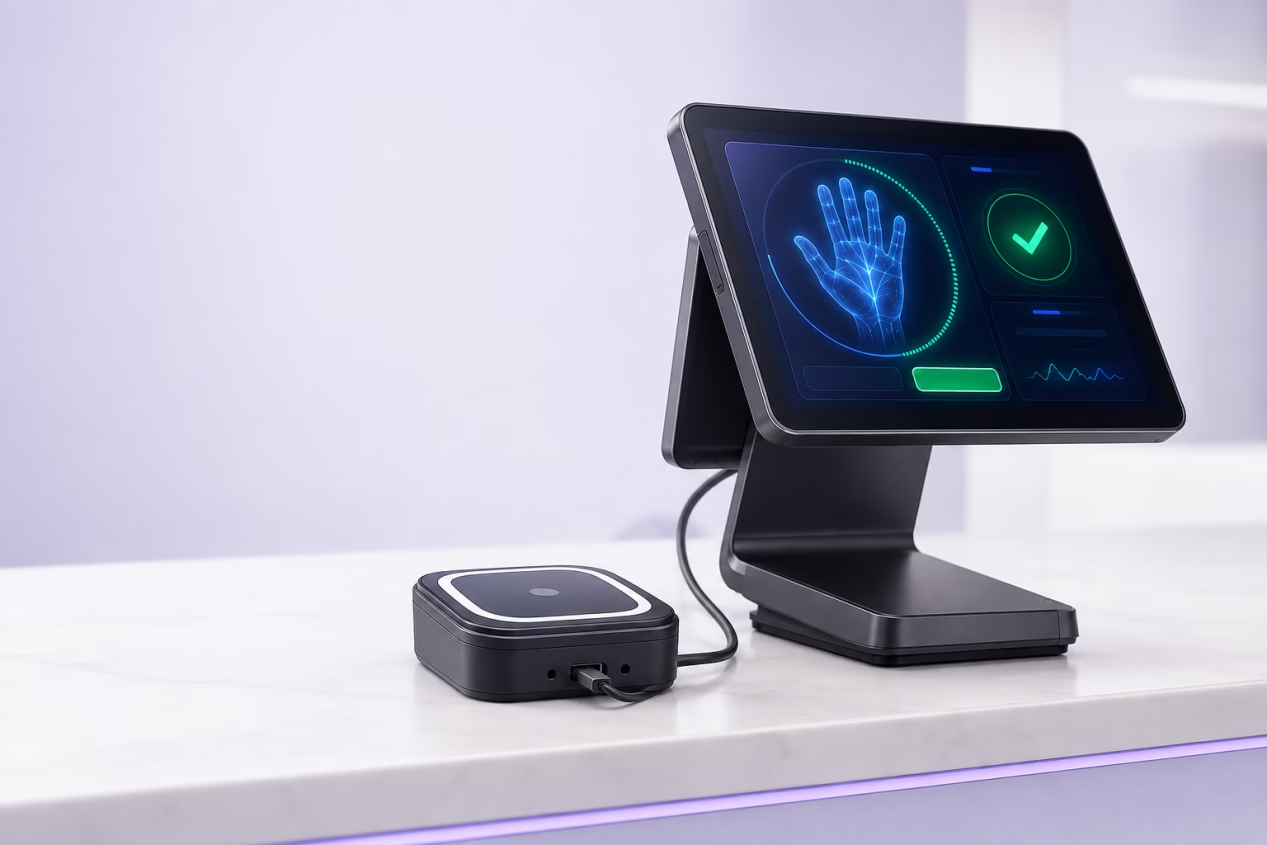
- Palm Vein Scanner: Captures palmprint and palm vein features and confirms the payer’s identity.
- POS terminal: Manages the transaction amount, payment request, authorization process, receipt, and settlement workflow.
- Payment system: Determines whether the transaction is approved, declined, or successfully completed.
Identity confirmation is not payment authorization. Palm Vein Biometric Recognition identifies the payer only. The POS terminal and payment system control the payment transaction.
Check the POS Terminal’s USB Power Output
USB power output is one of the first specifications to verify when connecting a standalone USB Palm Vein Scanner.
If the POS terminal’s USB port supports 1.5A/5V, businesses can select PalmVein01.
If the POS terminal’s USB power output does not meet the 1.5A/5V requirement, PalmVein01 Pro is the recommended option.
Device selection by USB power
| POS host condition | Recommended product |
|---|---|
| USB supports 1.5A/5V and data transmission | PalmVein01 |
| USB output does not support 1.5A/5V | PalmVein01 Pro |
Both products support POS host systems running:
- Android
- Linux
- Windows
Important Considerations for Financial POS Terminals
Based on our experience, many EMV/PCI financial POS terminals already deployed by banks have USB output below 1A.
In many cases, the USB port is also restricted to charging only, with external data transmission disabled for security reasons.
The USB specifications should therefore be checked on the actual POS model before selecting and installing a Palm Vein Scanner.
The presence of a USB connector does not automatically mean that the interface can provide sufficient power or exchange data with an external biometric device.
Confirm That USB Data Transmission Is Enabled
A powered USB port does not necessarily support data communication.
The POS host’s USB interface must support bidirectional data transmission with the Palm Vein Scanner. A charge-only USB port cannot transmit the biometric information required for palm payment integration.
Before deployment, confirm the following:
- Does the USB port provide the required power output?
- Is external USB data transmission enabled?
- Does the USB interface support bidirectional communication?
- Can the POS application communicate with the Palm Vein Scanner?
- Is the operating system compatible with the integration software?
- Do the bank, acquirer, or terminal security policies permit an external biometric device?
If external USB data transmission has been disabled, connecting a powered scanner will not be sufficient to complete the integration.
How the Palm Payment Workflow Operates
Once the Palm Vein Scanner and POS terminal are correctly integrated, the payment journey follows four coordinated steps.
1. Present the palm
The customer holds a palm above the Palm Vein Scanner’s guided capture area. The recognition process is contactless and does not require the customer to touch the scanner.
2. Confirm the payer’s identity
The camera and scanner capture palmprint and palm vein features.
These features are converted into a protected biometric vector, which is used to confirm who the payer is.
3. Transmit the identity result
The Palm Vein Scanner securely transmits the relevant identity result or payment reference to the connected POS terminal.
The scanner does not initiate or control the financial transaction.
4. Process the payment
The POS terminal and payment system independently determine whether the payment should be initiated and authorized.
They also manage:
- Transaction approval or rejection
- Payment completion status
- Receipt generation
- Settlement workflow
- Transaction records
This separation is important:
Palm Vein Biometric Recognition confirms the payer, while the POS and payment system control the payment.
Choosing Between PalmVein01 and PalmVein01 Pro
BioWavePass provides two standalone USB Palm Vein Scanner options for integration with POS host devices.
PalmVein01
PalmVein01 is suitable when the POS host’s USB interface provides:
- 1.5A/5V power output
- Bidirectional data transmission
- Support for communication with an external Palm Vein Scanner
PalmVein01 supports Android, Linux, and Windows POS systems.
PalmVein01 Pro
PalmVein01 Pro is designed for POS integrations where the host USB power output does not support the 1.5A/5V requirement.
It is particularly relevant for financial POS terminals that provide limited USB power.
PalmVein01 Pro also supports Android, Linux, and Windows POS host systems.
When to Choose an Integrated Palm Payment Device
A standalone USB scanner is not the only deployment option.
An integrated device may be more suitable when:
- The POS USB port does not support external data transmission
- The POS terminal cannot provide sufficient USB power
- External biometric hardware is restricted by the terminal provider
- A complete palm payment device is preferred
- The deployment requires a mobile payment terminal
BioWavePass provides fixed and mobile integrated options.
WavePass500 for Fixed Palm Payment Installations
Passeur d'ondes500 is designed for fixed, powered palm payment deployments.
It can communicate with a cashier system or POS system through:
- Wi-Fi
- USB
WavePass500 is suitable for fixed checkout counters and other locations where a complete Palm Vein Payment device is required.
Because it is an integrated device, it can be deployed without depending on the USB power capability of an existing financial POS terminal.
AirOne for Mobile Palm Payment
AirOne is designed for mobile palm payment applications.
It combines palm biometric functionality with an EMV/PCI-certified payment device, making it suitable for environments that require a portable payment terminal.
AirOne can be considered for:
- Mobile checkout
- Table-side payment
- Queue-busting payment
- Portable merchant payment
- Temporary payment locations
For mobile deployments, AirOne provides a more appropriate architecture than connecting a standalone USB scanner to a fixed POS host.
Embedding a USB Palm Vein Scanner into a Kiosk
PalmVein01 and PalmVein01 Pro can also be built into self-service kiosks.
The scanner can be installed within the kiosk’s customer-facing enclosure and connected to the kiosk host through USB.
Potential applications include:
- Self-checkout kiosks
- Self-ordering kiosks
- Ticketing kiosks
- Vending terminals
The same USB requirements still apply.
The kiosk host must support data transmission between the kiosk application and the Palm Vein Scanner. The appropriate scanner should also be selected according to the kiosk host’s 1.5A/5V USB power output.
In this architecture:
- The Palm Vein Scanner captures biometric features and confirms identity.
- The kiosk application manages the customer interaction.
- The connected payment system processes the transaction.
- The kiosk displays the final payment result.
Biometric Data and Deployment Architecture
BioWavePass is designed to transmit protected biometric results and payment-relevant information rather than reusable raw palm images within the authorized payment workflow.
All data can be stored on the customer’s own cloud server and managed in accordance with applicable GDPR requirements.
The final deployment architecture should define:
- Customer consent
- Data ownership
- Data storage location
- Data retention period
- User deletion procedures
- Access permissions
- Encryption requirements
- Security responsibilities
- Applicable legal and regulatory requirements
These details should be evaluated for every deployment and jurisdiction.
How to Choose the Right BioWavePass Configuration
The correct configuration depends on the POS hardware and the intended payment environment.
Choose PalmVein01 when:
- The host USB port supports 1.5A/5V
- Bidirectional USB data transmission is enabled
- The POS application can communicate with the scanner
Choose PalmVein01 Pro when:
- The POS USB power output does not support 1.5A/5V
- A standalone Palm Vein Scanner is still required
- USB data transmission is available
Choose Passeur d'ondes500 when:
- A fixed Palm Vein Payment device is required
- Communication with the POS system will use Wi-Fi or USB
- Dependence on the POS terminal’s USB power should be avoided
Choose AirOne when:
- A mobile Palm Vein Payment device is required
- An EMV/PCI-certified payment terminal architecture is needed
- The deployment requires portability
Choose PalmVein01 or PalmVein01 Pro for kiosk integration when:
- The scanner will be built into a self-service terminal
- The kiosk USB interface supports data transmission
- The scanner is selected according to the kiosk host’s power output
Frequently Asked Questions
Can a Palm Vein Scanner process payments by itself?
No. Palm Vein Biometric Recognition confirms the payer’s identity. The POS terminal and payment system determine whether the payment is initiated, authorized, approved, declined, or successfully completed.
Does PalmVein01 work with every POS USB port?
No. The POS USB port must support the required 1.5A/5V output and data transmission. If the required power is unavailable, PalmVein01 Pro should be considered.
Can a charge-only USB port be used?
No. The USB interface must support data exchange between the Palm Vein Scanner and the POS host.
Do PalmVein01 and PalmVein01 Pro support different operating systems?
Both products support POS hosts running Android, Linux, and Windows.
Can a Palm Vein Scanner be installed inside a kiosk?
Yes. PalmVein01 or PalmVein01 Pro can be embedded into a self-service kiosk, subject to USB power and data transmission requirements.
Which product is suitable for fixed palm payment?
WavePass500 is designed for fixed Palm Vein Payment deployments and can communicate with the POS system through Wi-Fi or USB.
Which product is suitable for mobile palm payment?
AirOne is the mobile option and uses an EMV/PCI-certified payment device architecture.
Plan Your Palm Payment Integration
Successful palm payment deployment begins with understanding the POS host specifications.
Before selecting a product, confirm:
- USB power output
- USB data transmission permissions
- Operating system compatibility
- POS application integration capability
- Payment processing architecture
- Terminal provider security policies
- Fixed, mobile, or kiosk deployment requirements
USB connector type alone is not enough. Power, data access, operating system, and security policy must all be verified before deployment.
Partager cet article
A propos de l'auteur

Vous pourriez aussi aimer

Can a Palm Vein SDK Capture Data Without an Algorithm Server?

Palm Vein Image Encryption: Why AES-256-GCM Alone Does Not Guarantee Compatibility
Large-Scale Palm Vein Recognition: How to Test the SDK and Plan for Growth

Palm Vein Payment SDK: Direct Algorithm Server Integration or Your Own Backend?
Palm Vein Deployment Support: Who Can Access Your Servers?
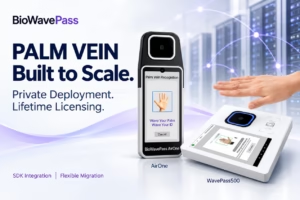
Scaling Palm Vein Payment: Single Server or Kubernetes Cluster?
Before You Scale Palm Vein POS: A Terminal Management Checklist
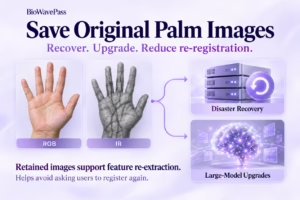
Why Saving Original Palm Images Matters for Biometric Recovery and Future Upgrades By BioWavePass
Optimizing Palm Payment Performance: AirOne Palm Module Firmware v2.4.4