Why Palm Vein Scanners Don't Use Bluetooth Communication Way?
One of the most common questions we receive is:
"Why can fingerprint scanners use Bluetooth, but Palm Vein Scanners cannot?"
The answer comes down to one key factor: data transmission requirements.
Fingerprint Scanners Transmit Small Amounts of Data
Most fingerprint scanners capture the fingerprint image internally, extract the biometric features, and generate a small template.
Only this template is transmitted to the host device.
Because the data size is relatively small, Bluetooth communication works well and provides a convenient wireless experience.
Palm Vein Recognition Requires Real-Time Image Processing
Palm vein recognition works differently.
BioWavePass Palm Vein technology uses dual-mode imaging, capturing both:
- RGB Images
- Infrared (IR) Images
These images are required for:
- Palm vein extraction
- Palm print analysis
- Liveness detection
- Anti-spoofing protection
- High-security identity verification
Unlike many fingerprint systems, palm vein recognition often relies on continuous image transmission and real-time processing.
The Bandwidth Challenge
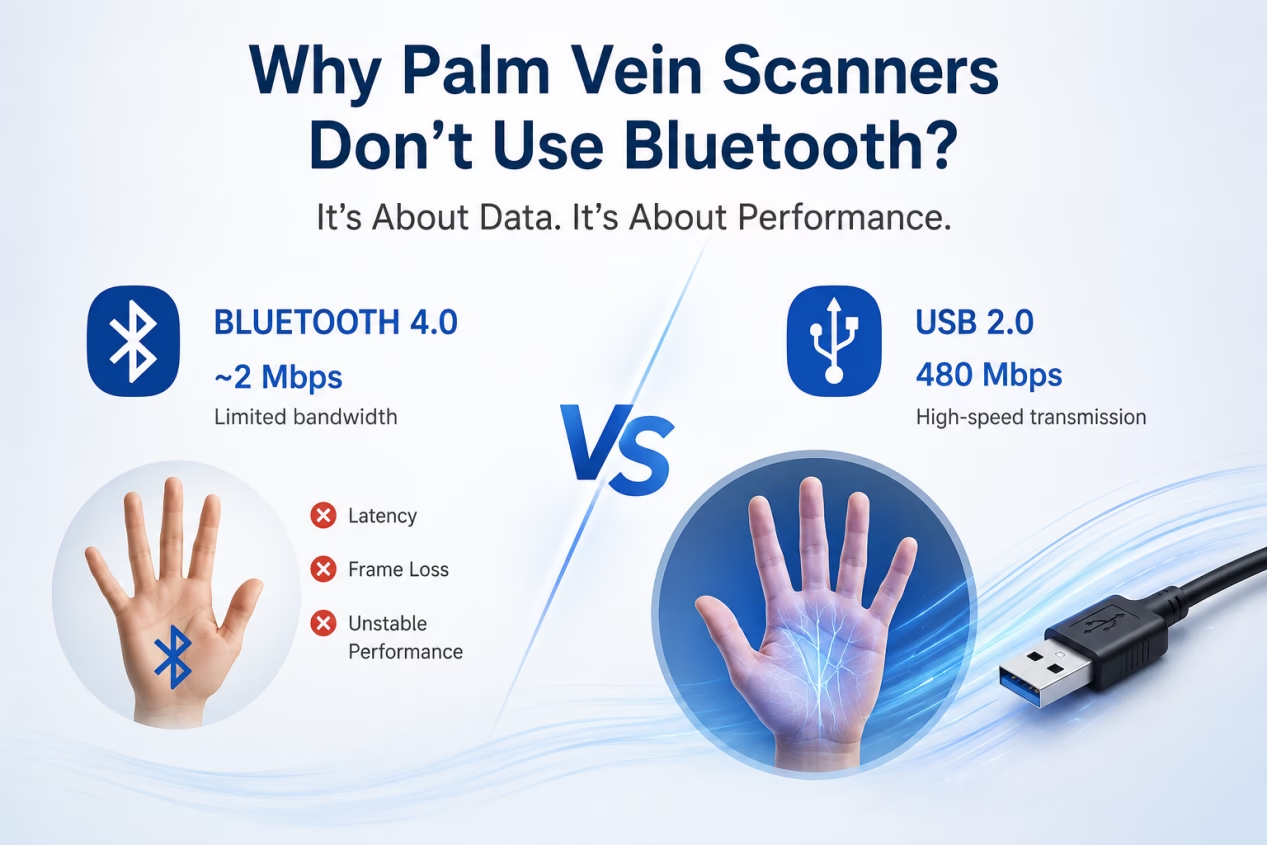
The difference becomes clear when comparing communication speeds:
| Interface | Theoretical Bandwidth |
|---|---|
| Bluetooth 4.0 | ~2 Mbps |
| USB 2.0 | 480 Mbps |
Our Palm Vein Modules communicate through USB 2.0, providing enough bandwidth to support continuous RGB and IR image streaming.
Bluetooth was designed for low-power wireless communication, not for transmitting large volumes of image data in real time.
What Happens If Bluetooth Is Used?
Using Bluetooth for real-time palm vein image transmission can introduce several challenges:
- Increased latency
- Frame loss
- Reduced image quality
- Slower authentication
- Less stable recognition performance
For applications such as digital payments, e-KYC, banking, healthcare, and national identity systems, these compromises are unacceptable.
Why BioWavePass Uses USB
At BioWavePass, security, reliability, and recognition accuracy always come first.
USB communication provides:
- Stable RGB + IR image transmission
- Consistent recognition performance
- Reliable liveness detection
- Faster authentication
- Better user experience
This ensures that every authentication event is processed using complete, high-quality biometric data.
Conclusion
Fingerprint scanners and Palm Vein Scanners have very different communication requirements.
Fingerprint devices typically transmit small biometric templates, making Bluetooth a practical solution.
Palm Vein Scanners, however, rely on real-time RGB and Infrared image processing, requiring significantly more bandwidth and stability.
For this reason, professional Palm Vein Scanners continue to use USB communication, delivering the performance, security, and reliability required for modern biometric authentication.
The question isn’t whether Palm Vein Scanners can be wireless.
The question is whether they can be wireless without compromising recognition accuracy, speed, and security.
Learn more from: https://biowavepass.com/biowavepass-palm-vein-scanner-products/
Partager cet article
A propos de l'auteur

Vous pourriez aussi aimer
Can a Palm Vein SDK Capture Data Without an Algorithm Server?
Palm Vein Image Encryption: Why AES-256-GCM Alone Does Not Guarantee Compatibility
Large-Scale Palm Vein Recognition: How to Test the SDK and Plan for Growth

Palm Vein Payment SDK: Direct Algorithm Server Integration or Your Own Backend?
Palm Vein Deployment Support: Who Can Access Your Servers?
Scaling Palm Vein Payment: Single Server or Kubernetes Cluster?
Before You Scale Palm Vein POS: A Terminal Management Checklist
Why Saving Original Palm Images Matters for Biometric Recovery and Future Upgrades By BioWavePass
Optimizing Palm Payment Performance: AirOne Palm Module Firmware v2.4.4