Why Should Palm Images Be Saved in Advance?
When building Tecnologia Palm Vein or Palm Pay systems, one key question often arises:
“Why should palm images be saved in advance?”
Em BioWavePass (by X-Telcom), saving palm images is not about storing unnecessary data — it’s a crucial step that ensures security, flexibility, and long-term scalability for biometric solutions.
🔍 Why Saving Palm Images Matters
1️⃣ To keep a reliable reference
Each palm image serves as a permanent base record in the client’s local database.
If only extracted feature vectors are stored, part of the original biometric information could be lost — making future verification or algorithm upgrades impossible.
2️⃣ Small model: fast, local, and image-free
Our small-model algorithm (already built into the SDK) performs all matching on the server ( up to 10,000 user IDs free).
It compares extracted palm print and palm vein features (RGB + IR) without accessing the original image.
The saved image simply acts as a secure backup.
3️⃣ Large model: When user qty over 10,000
When upgraded to the large-model algorithm, the system re-extracts palm print and vein features from end-side & server-side palm images.
This enables higher accuracy and scalability for Palm Pay, eKYC, and national ID projects.
🧠 Inside the BioWavePass Algorithm Design
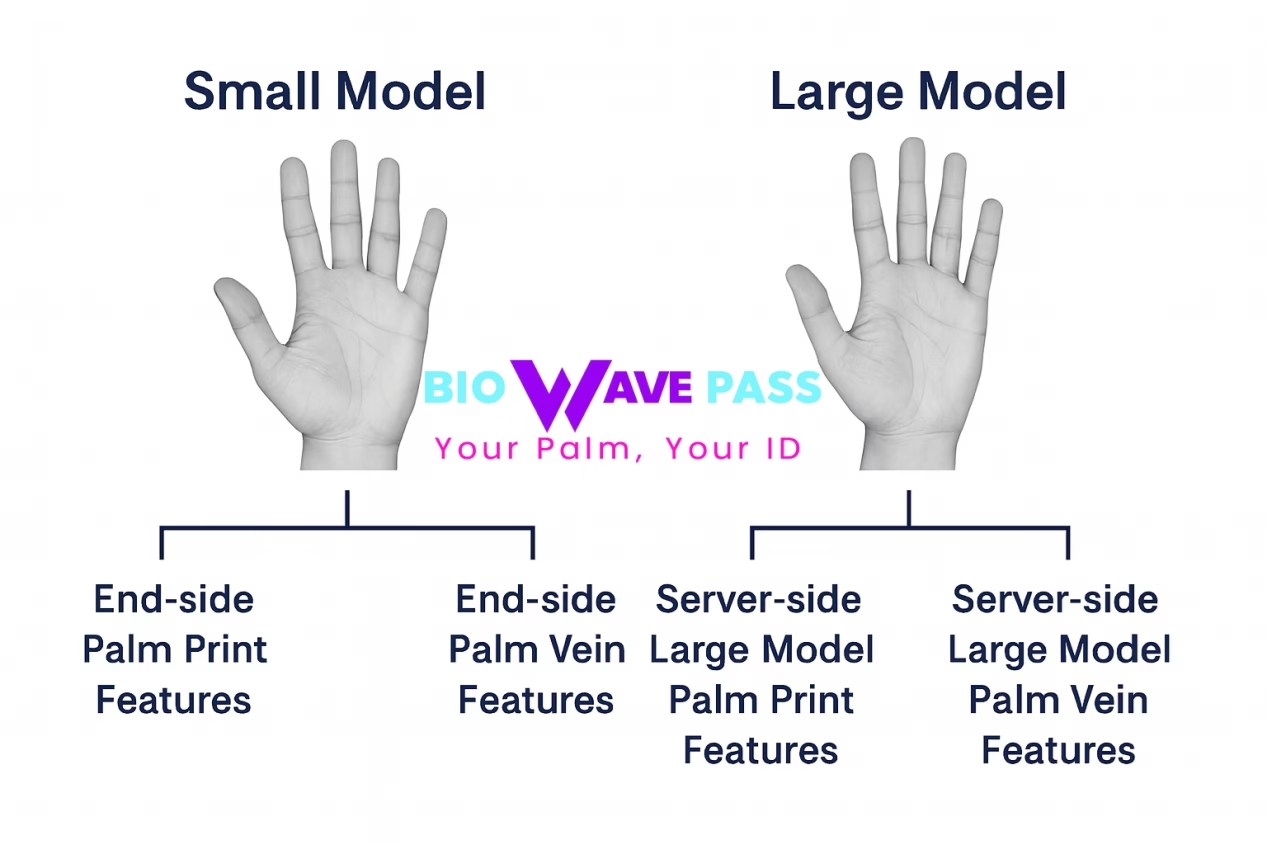
- Small Model: End-device palm print + palm vein features (fast, offline).
- Large Model: End-device features + server-based re-extraction for deep learning verification (cloud-assisted).
This architecture allows BioWavePass to deliver both speed on the edge e accuracy at scale, ensuring future-proof Palm Vein Technology.
🌍 Why Developers Choose BioWavePass
BioWavePass (X-Telcom) offers a complete ecosystem — from algorithm to hardware — for secure biometric integration:
- ⚙️ Palm Vein Scanner SDK — optimized for Android and embedded platforms with Flutter support.
- 🔒 High accuracy & speed — 99% match rate, 0.35s comparison time, powered by RGB + IR dual-spectrum algorithm.
- 🏗️ Stable commercial hardware — proven, production-ready Palm Vein Scanners for real-world deployments.
- 🧩 Custom hardware service — flexible designs for unique project needs and integrations.
- 🌍 End-to-end solution team — located in the UK and India, supporting both sandbox demos e full commercial systems.
✅ By saving palm images early, you avoid forcing users to re-register when switching from the small to large model — ensuring a seamless upgrade path.
🧠 Model Overview
✅ Small Model:
End-device palm print + palm vein features.
(Compare 2 features at a time.)
✅ Large Model:
End-side palm print features + end-side palm vein features + server-based large model palm print features + server-based large model palm vein features.
(Compare 4 features at a time.)
So you can tell how advanced the BioWavePass Palm Vein Solutions are. With BioWavePass, developers can confidently build scalable, high-performance Tecnologia Palm Vein platforms ready for today’s fintech and tomorrow’s identity infrastructure.
If you’re developing Palm Pay, biometric authentication, or eKYC solutions,
the BioWavePass Palm Vein Technology SDK provides everything needed to get started — fast, secure, and reliable.
Learn More: Terminal Android Palm Vein/
Partilhar este artigo
Sobre o autor

Também pode gostar
Can a Palm Vein SDK Capture Data Without an Algorithm Server?
Palm Vein Image Encryption: Why AES-256-GCM Alone Does Not Guarantee Compatibility
Large-Scale Palm Vein Recognition: How to Test the SDK and Plan for Growth
Palm Vein Payment SDK: Direct Algorithm Server Integration or Your Own Backend?
Palm Vein Deployment Support: Who Can Access Your Servers?
Scaling Palm Vein Payment: Single Server or Kubernetes Cluster?
Before You Scale Palm Vein POS: A Terminal Management Checklist
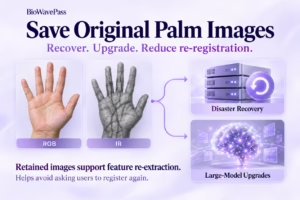
Why Saving Original Palm Images Matters for Biometric Recovery and Future Upgrades By BioWavePass
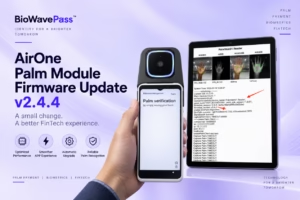
Optimizing Palm Payment Performance: AirOne Palm Module Firmware v2.4.4